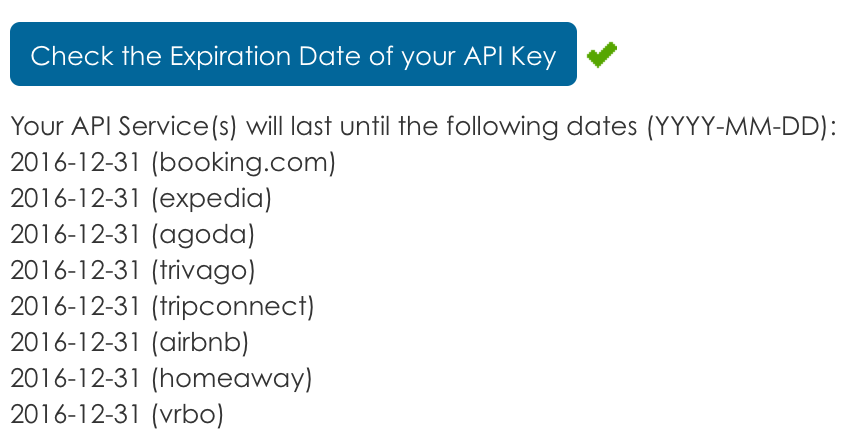
From the page Dashboard of the administrator section of Vik Channel Manager, there is a button called 'Check the Expiration Date of your API Key'. By clicking on it, you will see the expiration date for each channel.
This is a screen shot of the response received by clicking the Check Expiration Date button:
Last Update: 2016-03-28 21:36
Helpful?
50% of people found this helpful.
test 2
test
CONTACT US
Feel free to drop us message should you have any questions
about the booking engine or channel manager.
We will get back to you as soon as possible.
about the booking engine or channel manager.
We will get back to you as soon as possible.
e4jConnect.com and e4j - Extensionforjoomla.com are not affiliated with or endorsed by the Joomla! Project or Open Source Matters.
The Joomla! name and logo is used under a limited license granted by Open Source Matters the trademark holder in the United States and other countries.
E4J s.r.l. - VAT N. 06794860483